Build a Superhero Controls Guide (PC and Mobile)
Sit, spin, fight, and slap with clean inputs on desktop or touch.
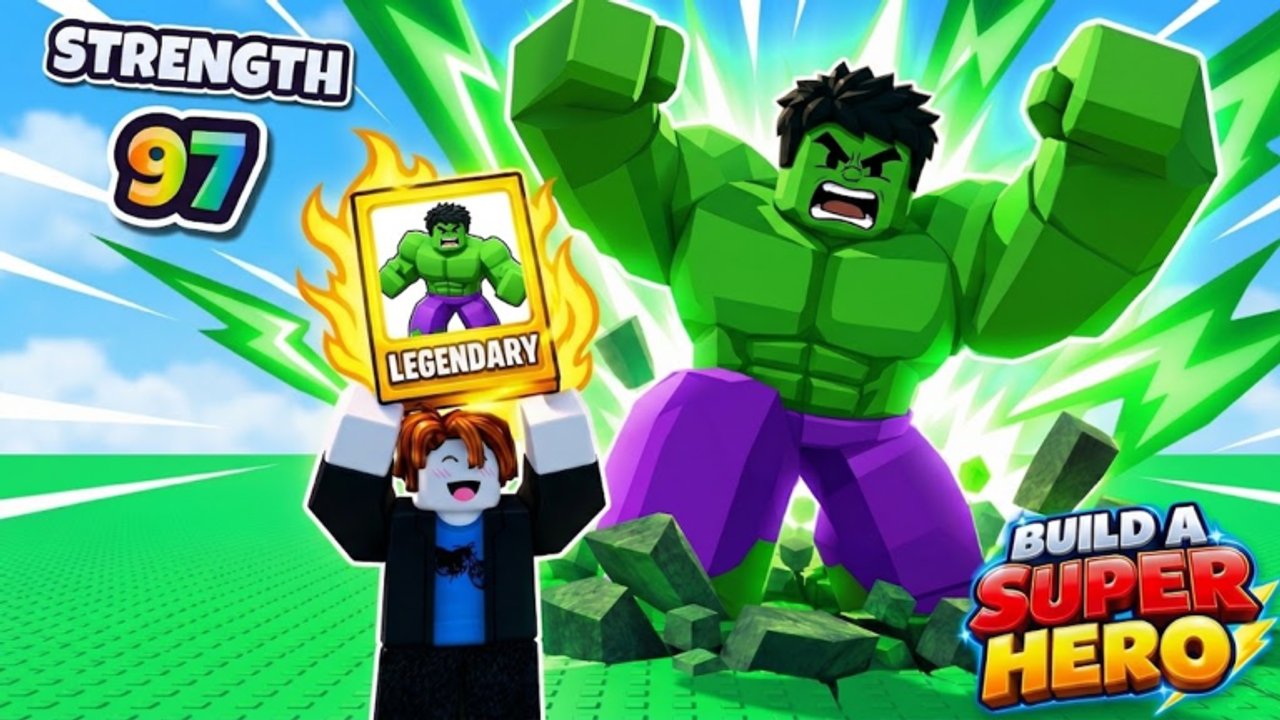
Clean inputs win tables. Build a Superhero is a Roblox Party & Casual experience where most of your session happens at a table: you sit, spin hero cards, keep the best stats, then battle players or AI. This controls guide covers the practical verbs you need on PC and mobile, with special attention to the slap tool referenced by game badges.
Roblox experiences share platform conventions (tap/click to interact, joystick or WASD to move, jump, camera drag). Exact on-screen button labels can shift after UI updates—when something looks different, trust the in-game prompts and cross-check Updates. This page teaches the workflow, not a fake keybind leak.
Universal loop mapped to inputs
- Move to an open table in the lobby space.
- Interact / sit to claim the seat (badges confirm sitting starts the real run).
- Open or trigger the spin action when the table UI offers it.
- Confirm keep for the best stat; dismiss weaker outcomes.
- When a match starts, use battle controls including movement and the slap tool.
- After the bout, return to spin/keep or queue the next fight.
If any step fails, stand and re-sit, rejoin the seat prompt, or hop servers. Crowded servers (the place has seen substantial visit counts and notable concurrency) can feel busier on interactables—patience beats spam-clicking.
PC controls
Movement and camera
- Use standard Roblox character movement (typically WASD) to reach tables.
- Mouse look / right-stick style camera drag to face seats and opponents.
- Jump only when traversal needs it; most table play is seated.
Sitting and UI
- Walk into the seat interact volume and press the on-screen interact prompt (commonly
Eon keyboard layouts that show it). - Watch for table UI panels after you sit—spins and match status appear there.
- Use left click to confirm spin/keep buttons unless the prompt shows another bind.
Combat on PC
- Keep the cursor free enough to hit on-screen abilities if the fight uses GUI buttons.
- If the slap tool is equipped as a tool in the Roblox hotbar, select it with number keys and activate with the standard tool use input (usually left click).
- Practice timing in AI fights before you risk a streak (How to Win Battles).
Quality-of-life
- Fullscreen reduces misclicks on keep buttons.
- Mute overlapping voice or music if slap timing needs focus.
- Keep this wiki on a second monitor for How to Spin reference mid-session.
Mobile controls
Movement and camera
- Left thumb joystick to approach tables.
- Right-side drag to adjust camera so the seat prompt is visible.
- Avoid sprinting past interactables; slow down when the sit icon appears.
Sitting and UI
- Tap the Sit / Interact prompt when it pops.
- Tap spin and keep buttons deliberately—mobile mis-taps are the number one way to discard a good stat.
- If a finger covers the keep button, rotate camera or enable a more comfortable UI scale in Roblox settings.
Combat on mobile
- Tool buttons usually appear on the right. Tap to equip the slap tool, then tap/hold per the tool’s behavior.
- Stabilize the device; frantic shaking throws camera and timing.
- Consider a grip or two-hand hold during streak attempts.
Mobile-specific advice
- Play on stable Wi-Fi for ranked-feeling streak pushes; packet loss turns fair slap exchanges into ghosts.
- Lower graphics slightly if UI lag delays keep confirms.
- Landscape orientation generally gives better table visibility than portrait.
The slap tool
Badges in Build a Superhero acknowledge a slap tool as part of the combat toybox. Treat it like a timing weapon:
- Equip intentionally. Do not assume it is always active if your hotbar shows otherwise.
- Learn startup and recovery. Early spam loses to patient players; late panic slaps whiff.
- Lab vs AI. Use AI matches to count beats between slaps without trophy pressure.
- Combine with build plan. A sustain build may slap to interrupt; a burst build may slap to finish. Your Best Builds theme should dictate aggression.
We will not invent frame data. Your hands will learn the cadence faster than a fake chart.
Table etiquette inputs
Because this is online multiplayer (up to 20 players), input hygiene affects friends:
- Do not repeatedly hop seats your party is claiming.
- Confirm keeps at a spoken pace if you are drafting together.
- Avoid emote spam that covers prompts during spin windows.
Share Getting Started with new friends so they know sitting is mandatory before spinning.
Troubleshooting controls
Cannot sit: Move closer, look at the seat, wait for the prompt, rejoin if the table is locked mid-match.
Spin button dead: You may not be seated, the match state may block spins, or UI failed to load—re-sit or relog.
Accidental discards on mobile: Slow down taps; narrate “keep” aloud before touching.
Slap does nothing: Equip the tool, check cooldown/UI feedback, try AI to isolate input vs build issues.
Camera fights you: Reset camera, toggle shift-lock on PC if you use it, or reduce sensitivity on mobile.
Accessibility and comfort
- Remap Roblox keybinds if a default conflicts with your hardware.
- Take breaks—there is a 1 Hour Grind badge, but hands need rest for slap accuracy.
- Colorblind-friendly habits: rely on text labels and prompts, not color alone, when evaluating cards.
How controls connect to progression
Good inputs make every other guide cheaper:
- Faster sits → more spins → better keeps (How to Spin).
- Cleaner slap timing → more wins → cash, trophies, streaks (How to Win Battles).
- Fewer mis-taps → fewer ruined Mythic decisions.
- Steady wins → Pro Rooftop at 10 victories (Pro Rooftop).
Related hubs
- Guides Hub — full tutorial map
- Codes — promo status (none confirmed at research time)
- Scripts — never use tools that violate Roblox rules to “auto slap”
- Tier List — what you are building toward once inputs feel natural
- Players — who built the place you are clicking through
Master the sit → spin → keep → slap loop on your device, then spend mental energy on strategy. Controls are the quiet skill that makes every Build a Superhero guide work.
Frequently Asked Questions
Quick answers for Build a Superhero players.
How do I sit at a table on PC or mobile?
Move to a free seat and use the on-screen interact prompt (often E on PC, tap on mobile). Sitting is required to start spinning and battling.
How does the slap tool work?
Equip the slap tool from your hotbar or on-screen tool button, then activate it with the standard tool input. Practice timing in AI fights before streak attempts.
Why will my spin button not work?
Usually you are not seated, the match state is blocking spins, or the UI failed to load. Re-sit, wait for prompts, or relog if needed.
Are mobile controls viable for win streaks?
Yes, if you tap carefully, stabilize the camera, and use reliable network conditions. Mis-taps on keep buttons are the main mobile risk.
Do controls change after updates?
UI labels and prompts can shift. Follow in-game prompts and check the Updates hub after patches rather than memorizing outdated screenshots only.